
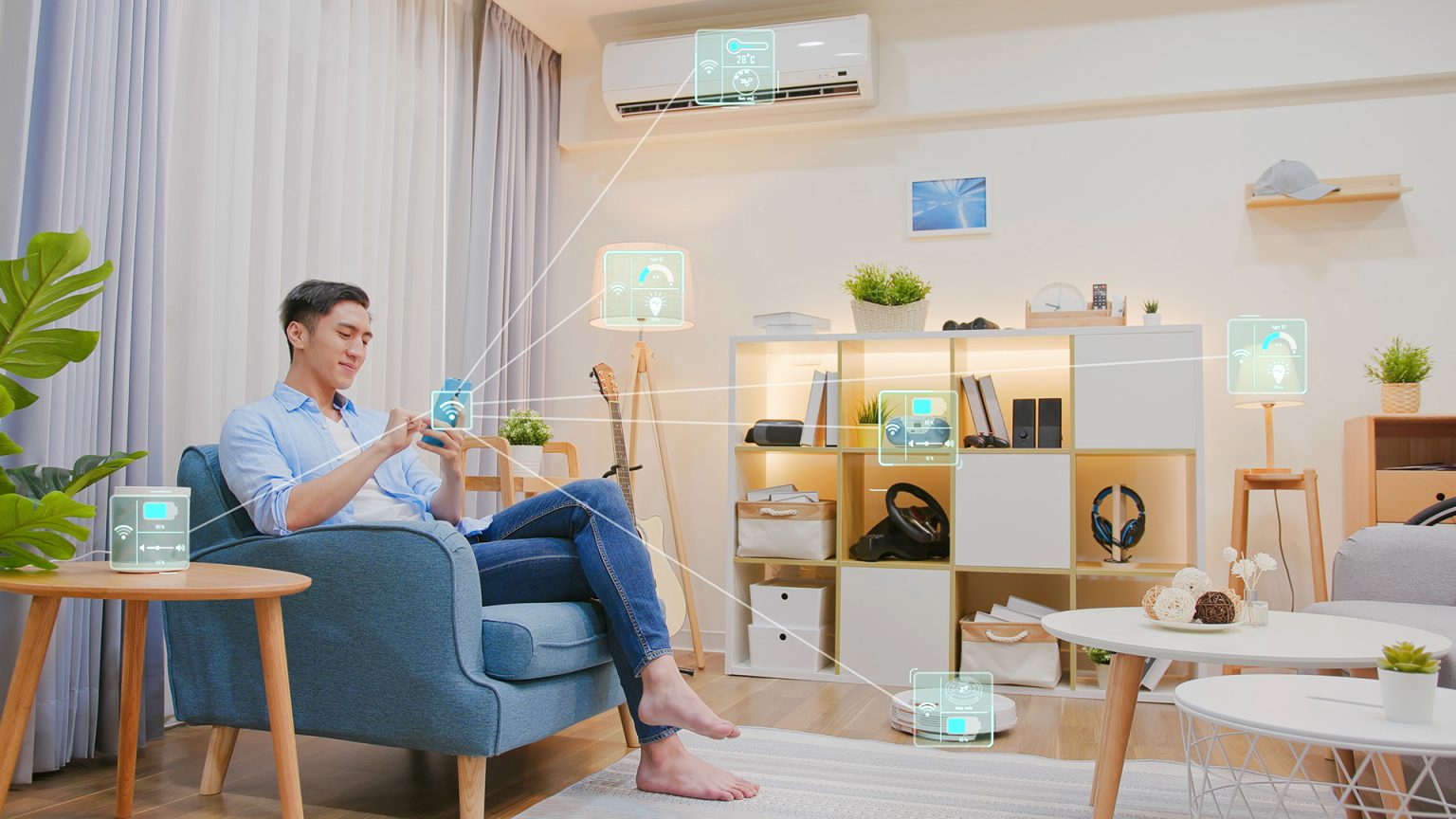
Smart Home Technology for Convenient Everyday Living
Your home should not feel like another job waiting at the end of the day. The best reason to care about Smart Home Technology is not because it sounds futuristic, but because it removes small daily annoyances before they pile up. A light that turns on before you walk into a dark hallway, a thermostat that eases the house into comfort before you get home, or a camera alert that tells you the package arrived can change the pace of an ordinary American household. These are not luxury tricks anymore. They are becoming practical tools for busy parents, remote workers, older homeowners, renters, and anyone tired of managing every little switch, lock, and reminder by hand. A good connected home does not shout for attention. It quietly helps. That is why many homeowners now treat trusted digital living resources as part of planning a safer, calmer, and more convenient home setup. The point is not to own every gadget. The point is to choose the right ones so your home starts working with your routine instead of against it.
Why Connected Living Works Best When It Solves Ordinary Problems
A connected home becomes useful only when it fixes the moments you already notice. People often start with flashy smart devices, then wonder why the setup feels scattered. The smarter move is to begin with friction. Think about where your day slows down, where you repeat the same task, or where your home creates small stress without earning it.
How home automation removes daily decision fatigue
Home automation works best when it handles patterns you already repeat. If you turn off five lights before bed, lower the thermostat, lock the front door, and check the garage, that is not “being responsible.” That is unpaid house management. A simple bedtime routine can handle those steps in one action.
A family in Ohio might set the lights to dim at 9:30 p.m., the doors to lock at 10:00 p.m., and the thermostat to shift overnight. Nobody has to walk room to room. Nobody has to ask, “Did we lock up?” The house does the boring part so the people inside it can stop carrying the mental checklist.
The counterintuitive truth is that the best automation is almost invisible. If you keep opening an app for every command, you have not saved much effort. The real win comes when the home responds to time, motion, temperature, and habit without turning your phone into another remote control.
Why smart devices should fit your routine before your budget
Smart devices can save time, but only when they match how you live. A smart coffee maker sounds useful until you realize you drink coffee at different times every morning. A smart lock may matter more if your kids arrive home from school before you do. The “best” device is the one that answers a real pressure point.
American homes vary too much for one perfect setup. A renter in Phoenix may care most about smart plugs, a video doorbell that does not need hardwiring, and a portable indoor camera. A homeowner in Minnesota may care more about heating schedules, leak sensors, and garage monitoring during winter travel.
Price matters, but fit matters more. Cheap devices become expensive when nobody uses them. A smaller setup that your household understands will beat a crowded system that turns every small task into a settings menu.
Comfort Starts With Lighting, Climate, and Timing
Convenience begins with the parts of the home you touch every day. Lights, temperature, blinds, plugs, and schedules shape how your space feels from morning to night. When these pieces work together, comfort stops being something you adjust all day and becomes something the home maintains in the background.
Why lighting control changes the mood of a home fast
Lighting is often the first upgrade people notice because it changes a room instantly. A bright kitchen in the morning helps people wake up. Softer lamps in the evening signal that the day is slowing down. Motion lights in hallways help kids, guests, and older adults move safely at night.
Voice control can help here, especially when your hands are full. Saying a simple command while carrying groceries or holding a child feels less like a tech feature and more like common sense. The best setup keeps the most-used commands short, clear, and easy for every person in the house.
A useful lighting plan does not need colored bulbs in every corner. In many homes, three changes do the job: smart bulbs in key rooms, motion lights in dark paths, and scheduled outdoor lighting. That combination gives comfort, safety, and a lived-in look without making the house feel like a showroom.
How climate automation makes comfort less wasteful
Heating and cooling are where convenience and savings often meet. A smart thermostat can learn when people are home, when rooms sit empty, and when the house needs a head start before the family returns. That matters in places with sharp seasonal swings, from Texas heat to New England winters.
Home automation can also expose habits people rarely notice. Maybe the air conditioner runs hard every afternoon because one sunny room overheats. Maybe the heat stays high after everyone leaves for work. Once you see the pattern, you can fix the comfort problem instead of paying for it every month.
The unexpected insight is that comfort is not always about making the whole house feel the same. Bedrooms may need cooler nights. A home office may need stable daytime air. The smartest climate setup respects zones, schedules, and real use instead of treating the house like one giant box.
Safety Feels Different When Your Home Can Warn You Early
Security should not make a home feel tense. The best setup gives you awareness without turning daily life into surveillance theater. Smart Home Technology earns trust when it helps you act sooner, whether that means spotting a leak, confirming a delivery, or knowing the back door was left open.
What home security systems should tell you first
Home security systems should focus on clear alerts, not constant noise. A doorbell camera that flags motion every time a car passes will get ignored. A better setup tells you what matters: a person at the porch, a package left outside, a door opened after bedtime, or a window sensor triggered while nobody is home.
A homeowner in Atlanta might use a video doorbell, smart lock, and two entry sensors instead of covering every inch of the property. That smaller setup protects the most common access points and keeps alerts manageable. More devices do not always mean more safety. Sometimes they mean more false alarms.
Trust comes from control. You should know who can see camera feeds, how long clips are stored, and which alerts reach your phone. A secure home is not only protected from strangers outside. It is also designed with privacy for the people inside.
Why leak sensors and smoke alerts deserve more attention
People talk about cameras first, but water damage can wreck a home faster than a suspicious visitor. A small leak under a sink, behind a washer, or near a water heater can turn into flooring damage, mold, and insurance headaches. Leak sensors are boring until the day they save thousands of dollars.
Smart smoke and carbon monoxide alerts can also help when you are away from home. A standard alarm only helps people who can hear it. A connected alert can reach your phone, notify another household member, or give you a chance to call a neighbor before a problem grows.
This is where smart devices become less about convenience and more about early warning. The device does not need to impress anyone. It needs to catch the problem before the house pays the price.
A Smarter Home Needs Simple Rules, Not More Apps
The biggest mistake people make is adding devices faster than they build a system. A home filled with disconnected apps can feel more annoying than a normal house. Convenience grows when devices share a plan, names make sense, and every person in the household knows how to use the basics.
How to keep voice control from becoming a household headache
Voice control should make common tasks faster, not turn the home into a guessing game. Device names matter more than people expect. “Living room lamp” beats “Lamp 4.” “Kitchen lights” beats “Main cluster.” Clear names prevent mistakes and make the system friendly for guests, kids, and older relatives.
Households should also decide which commands matter. Lights, thermostat changes, music, timers, and door locks are common. More personal commands may need limits. Nobody wants a visitor accidentally opening a garage or changing security settings because the system was set up with no boundaries.
The quiet rule is this: every smart command should have a backup. Wall switches, keypads, physical keys, and manual controls still matter. A home should not become helpless because the Wi-Fi drops or someone forgets the right phrase.
Why compatibility matters before you buy anything
Compatibility is the difference between a smooth setup and a drawer full of regrets. Before buying new devices, check whether they work with your phone, speaker, hub, Wi-Fi setup, and preferred assistant. A device that looks perfect on the shelf can become a nuisance if it refuses to talk to the rest of the home.
The rise of shared standards has made this easier, but buyers still need to read carefully. Some products require a separate hub. Some features work only with certain platforms. Some cheap devices may receive weak support after the first year. That can turn a small bargain into a long-term irritation.
A practical plan starts with one main platform, a few trusted brands, and a clear reason for each purchase. Build slowly. Test each addition. Keep the system understandable. A smart home should feel like a well-run household, not a tech project that never ends.
Conclusion
The homes that feel best over the next decade will not be the ones with the most gadgets. They will be the ones where technology has been placed with judgment, restraint, and a clear respect for daily life. That means choosing tools that reduce repeated work, improve comfort, warn you early, and stay simple enough for everyone under the roof to use.
Smart Home Technology is strongest when it disappears into the background and lets people live with fewer interruptions. Start with one problem you feel every week. Maybe it is wasted energy, porch safety, forgotten locks, poor lighting, or the endless shuffle of small household tasks. Fix that first, then build from there.
Do not chase a house that looks impressive in a product demo. Build one that feels calmer on a Tuesday night. Choose one upgrade that solves a real problem this week, and let convenience grow from proof, not hype.
Frequently Asked Questions
What is the best way to start a smart home setup?
Start with one daily problem instead of buying a full bundle. Good first choices include a smart thermostat, video doorbell, smart plugs, or key lighting controls. Pick one platform before you buy more devices so the setup stays easy to manage.
Are smart devices worth it for renters in the USA?
Renters can benefit from plug-in cameras, smart plugs, bulbs, portable speakers, and no-drill doorbells. The best rental-friendly products avoid hardwiring and permanent changes. Always check lease rules before installing locks, cameras, or anything attached to exterior doors.
How can home automation reduce energy bills?
Automated thermostats, lighting schedules, motion sensors, and smart plugs can cut waste by turning systems down when rooms sit empty. Savings depend on home size, climate, rates, and habits, but the biggest gains often come from heating and cooling control.
Which smart home upgrades help older adults most?
Motion lighting, voice assistants, smart locks, medication reminders, fall-aware devices, and remote alerts can support safer daily living. The setup should stay simple, with clear names and physical backups. Complicated systems can create stress instead of independence.
Do home security systems need professional installation?
Some systems need professional installation, but many modern options are designed for self-installation. Doorbell cameras, entry sensors, indoor cameras, and smart locks often work with app-guided setup. Larger homes or monitored systems may still benefit from expert help.
Is voice control safe for door locks and garage doors?
Voice access can be safe when protected with PIN codes, account controls, and limited permissions. Avoid allowing sensitive commands without verification. Keep manual access available too, because security should never depend on one speaker or one internet connection.
What smart devices work during a Wi-Fi outage?
Some devices keep basic manual functions during an outage, such as switches, locks, thermostats, and alarms. App control, remote alerts, and voice commands may stop until service returns. Devices using local hubs may retain more functions than cloud-only products.
How do I avoid buying smart home products I will not use?
Write down three household frustrations before shopping. Buy only products that solve one of them. Check compatibility, read support details, and start small. A device that saves time every week is worth more than five gadgets nobody remembers to open.

Related Posts

Tech Skills Training for Career Advancement Opportunities

E Commerce Technology for Growing Digital Businesses